Inspect
Record the Fire Door condition and supporting evidence against the correct asset.


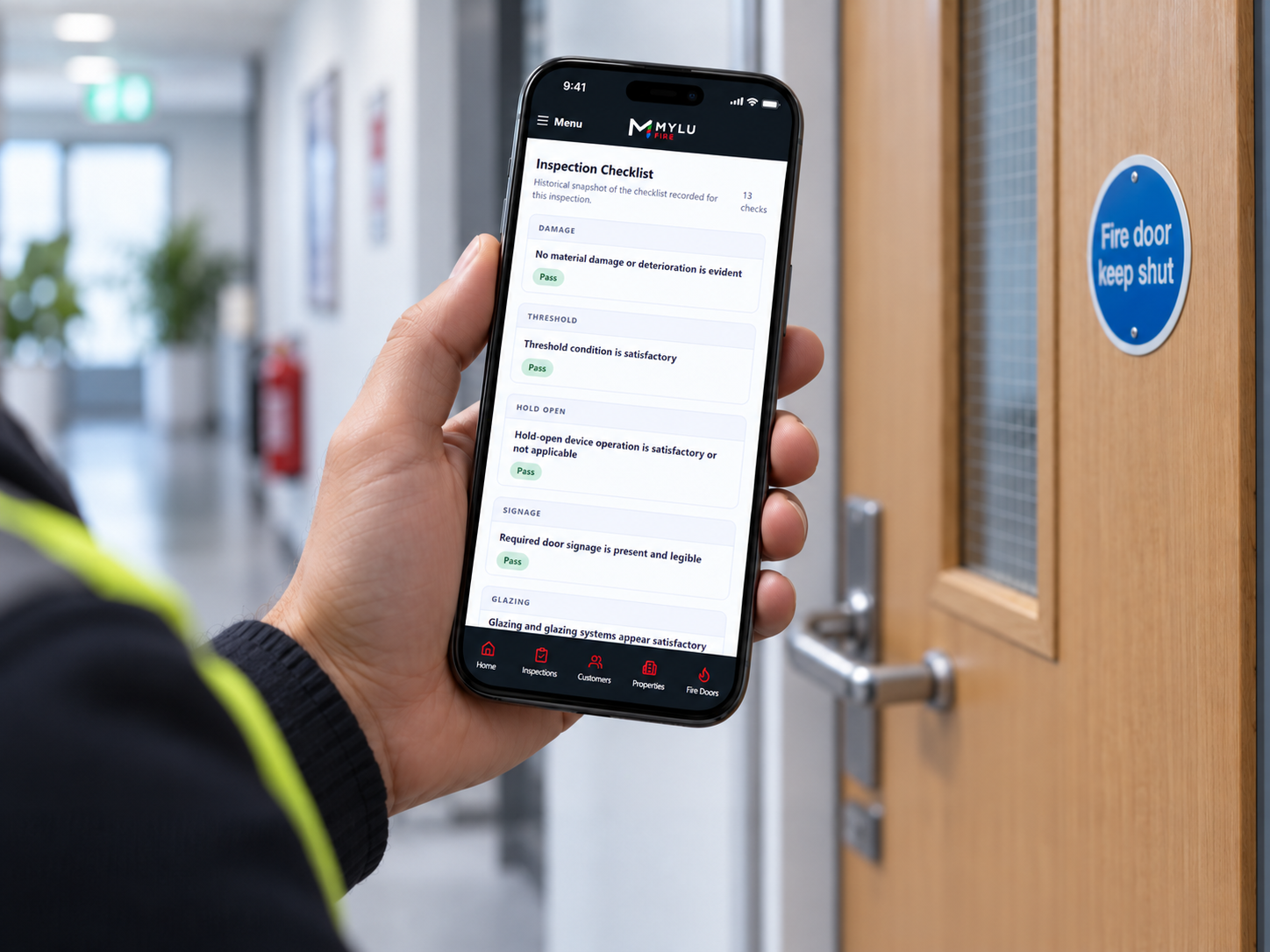
MYLU Fire keeps reporting connected to the inspection workflow. Capture evidence on site, submit work for review, return issues for correction where needed, approve the inspection and produce a professional downloadable record from the approved outcome.
Already use MYLU Fire? Sign in.
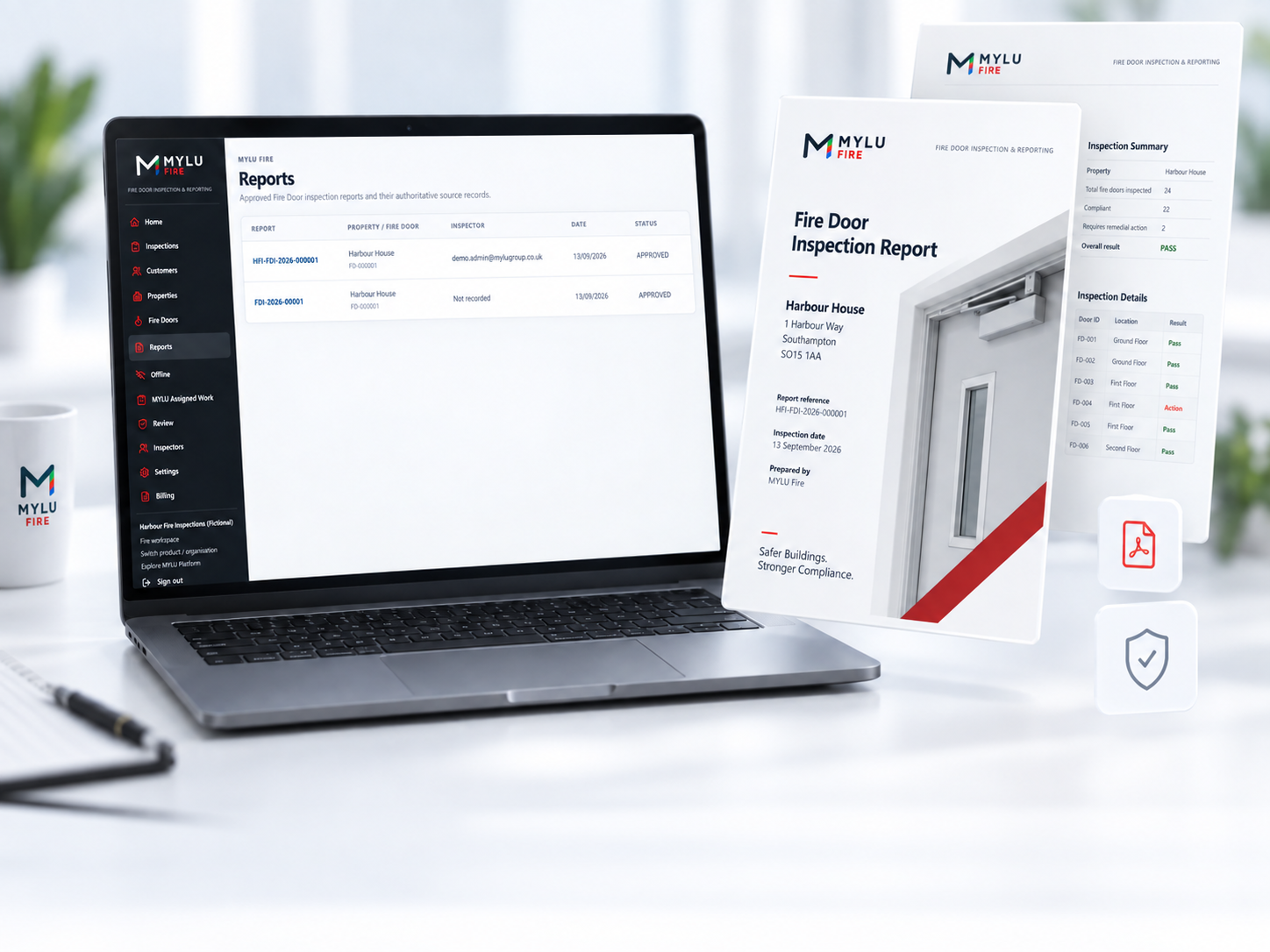
MYLU Fire carries the same Fire Door, evidence and finding context through inspection, review and approval, reducing the need to re-key information into a separate reporting tool after the site visit.
Record the Fire Door condition and supporting evidence against the correct asset.
Move completed work into the controlled review workflow.
Reviewers can return issues for correction before an inspection is approved.
Generate the professional report from the approved inspection outcome.
Inspection evidence remains tied to the relevant Fire Door and inspection record. MYLU Fire preserves source provenance and immutable originals, helping the reporting record reflect the evidence captured during the actual inspection workflow.
The report does not turn the software into the decision-maker; it presents the competent inspector’s recorded work in a controlled, consistent format.
Keep each reported item tied to the correct Fire Door and property.
Carry the inspection’s evidence through to the approved reporting record.
Retain source details and immutable originals behind the reporting workflow.
Keep the report alongside the wider door record rather than as an isolated file.
The Fire inspection lifecycle separates field completion from approval. Inspectors submit their work, reviewers can return it for correction, and only the approved state feeds the final professional report.
Approved MYLU Fire inspections can produce professional reports for secure storage and download. The reporting output is part of the wider Fire Door record, so owners and authorised users can return to the inspection history instead of searching through disconnected document folders.
Reporting is intended to document the inspector’s work clearly. It does not itself certify a door or replace the responsibilities of the dutyholder, Responsible Person or competent inspector.
Base the final report on the reviewed and approved inspection state.
Produce a downloadable record suitable for the customer and retained inspection history.
Keep reports within the authorised organisation and document context.
Maintain a sequence of inspection and reporting history against the same Fire Door.
Approved Fire Door findings can feed into the remedial workflow rather than ending as a static PDF. MYLU Fire keeps the inspection, finding, related work request and ongoing asset history connected so teams can move from inspection evidence to follow-up action.
The report remains the inspection record; the operational workflow can then continue from the approved finding.
Retain the finding against the same Fire Door record.
Connect approved findings to follow-up work requests where appropriate.
Track the door beyond the point at which the report is issued.
Keep the inspection and subsequent operational history distinguishable but connected.
MYLU Fire separates field inspection, review and administrative oversight so the reporting process reflects who did the work and who approved it.
Capture findings and evidence, then submit completed inspection work for review.
Assess submissions, return corrections where needed and approve inspection outcomes.
Maintain oversight of teams, reporting history and the wider Fire Door register.
Yes. Approved inspections can be turned into professional downloadable reports that bring together Fire Door details, inspection findings and the evidence recorded during the inspection workflow.
Inspection evidence can be associated with the relevant Fire Door and findings so approved reporting can present the photographic record alongside the inspection information.
The controlled workflow separates inspection completion from approval. Reporting is based on the approved inspection state so the issued record reflects the reviewed outcome rather than an in-progress submission.
The inspection returns to a correction state for the inspector to address. Once corrected and resubmitted, it can continue through review and approval before the final report is issued.
Yes. Approved reports are generated as professional downloadable records and retained within the wider MYLU Fire document and inspection history.
MYLU Fire retains the inspection lifecycle and associated audit history so the approved report is connected to the review and approval process that produced it.
No. MYLU Fire records and reports the inspector’s work. It does not replace the judgement of a competent person or transfer the responsibilities of the dutyholder or Responsible Person.
Book a demonstration to see inspection evidence, review, approval and professional reporting working together inside MYLU Fire.